
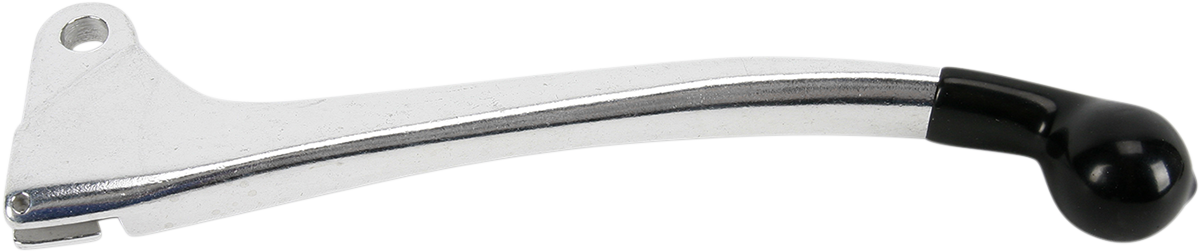
Clutch Levers
About Clutch Levers
The clutch lever disconnects the engine from the transmission so you can shift, pull away and control power. On a manual-clutch quad it is used constantly, so the pivot wears, and the lever bends in a tip-over or snaps at the end.
Replacement levers here come in black and polished finishes, and a carbon fiber look lever is listed as well. A forged clutch lever is available, and so is a flex lever, the Vengeance Flex Lever in orange; flex levers are made to give on impact instead of breaking. Fit is by machine and year, and one listing is for Yamaha models from 1986 to 2014, so check the range against yours. A stiff or worn cable makes any new lever feel heavy, so replace the cable if it is frayed or sticks. Pick your machine in the Ride Finder at the top of the page.
Brands here include Parts Unlimited, Prox, TMV and TORC1. For other controls, see Hand Brake Levers, Clutch & Hand Brake Lever Kits and Shift & Gear Levers, all part of Hand & Foot Controls.
FAQs on ATV clutch levers
How can I tell if a clutch lever is worn out?
Look for side-to-side play at the pivot, a bent or cracked blade, and a pivot hole that has become oval. A loose lever makes the clutch feel vague and can fail without warning, so replace it before a ride.
What is a flex clutch lever?
A flex lever is designed to bend on impact instead of snapping, so a tip-over is less likely to leave you without a clutch. It still has to be the right lever for your machine, so check the listing's fitment.
Why does my clutch lever feel stiff after replacing it?
The cause is usually the cable or the pivot. Lubricate the cable and the lever pivot, route the cable without sharp bends, and set the free play as your owner's manual describes. Replace a frayed cable instead of lubricating it.
How much free play should a clutch lever have?
Free play is the small amount of lever travel before the clutch starts to disengage. The correct amount differs by machine, so use the figure in your service manual and adjust it at the cable adjuster.